As a small business owner, understanding how things work gives you more agency, and that’s certainly the case for websites! In this website 101 article, we’ll go over basic website terms and explain how the main pieces of your site work together, so you can make informed decisions.
You don’t need to become a web developer, but understanding the basics can help you make better choices, avoid unnecessary costs, and ask better questions when someone is helping you.
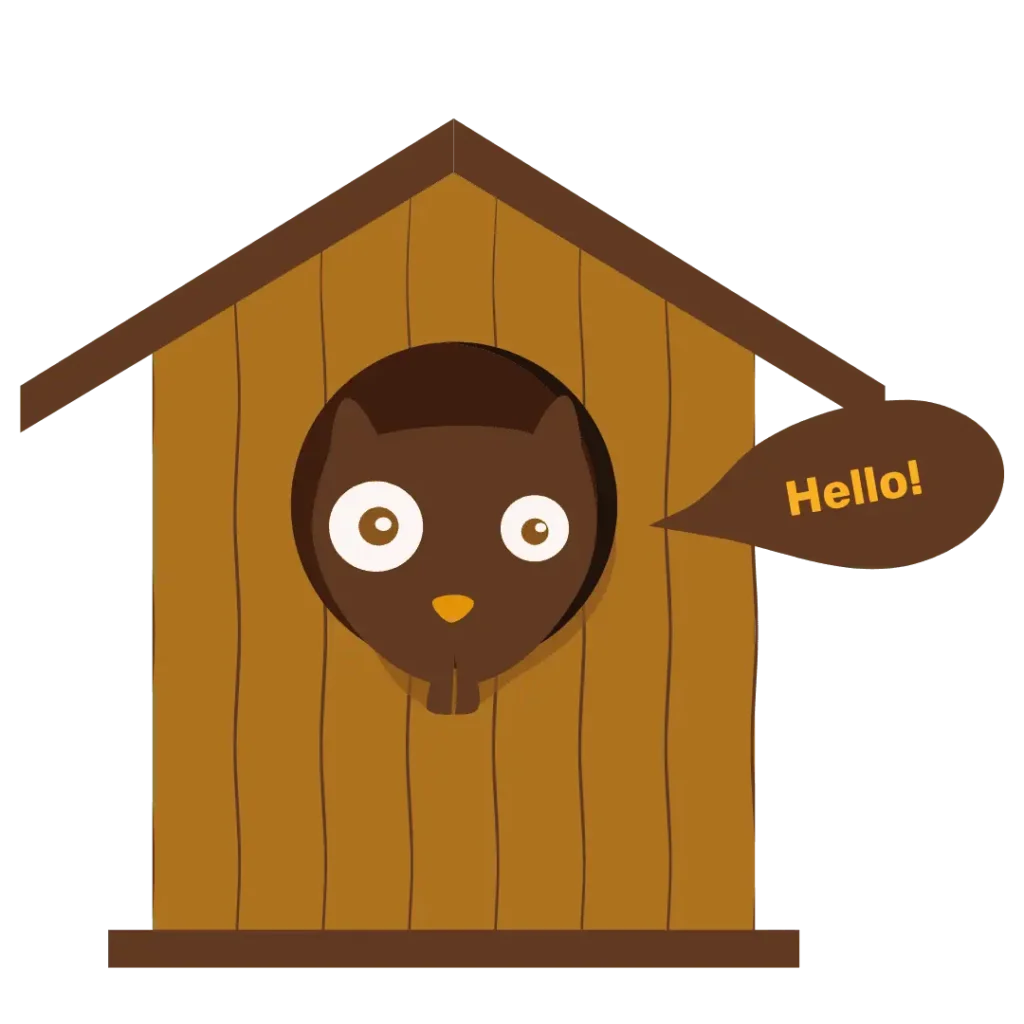
If you’re like me, you prefer a visual example instead of an abstract idea. So let’s compare your website with a house. Your domain name is the street address, your web host is the plot of land your house sits on, your CMS keeps track of what belongs inside, and your website builder helps design and build the rooms.
Domain Name
A domain name is the unique address that identifies your website on the internet. In the case of our website, our domain is chunkysquirrel.com
It typically consists of two main parts:
- Second-level domain (SLD): the main part of the domain name that represents the name of your company or organization (f.e. “chunkysquirrel”).
- Top-level domain (TLD): This follows the SLD and includes an extension like “.com,” “.org,” “.net,” or country-specific codes like “.ca.”
Domain names are registered through domain registrars. Our favourite one is Porkbun, because their rates are great and there are no needless upsells. They also include SSL where relevant.
You might also come across providers like GoDaddy, HostGator, GreenGeeks, Namecheap, or Bluehost. Some website platforms, such as Squarespace, WordPress.com, Shopify, and Wix, also offer domain registration as part of an all-in-one website setup.
Before choosing a domain provider, check what is included and what costs extra. Some providers advertise a low first-year price, then charge more for renewals, privacy protection, email, SSL certificates, or other add-ons you may not actually need.
Quick note about SSL certificates
An SSL certificate is what lets your website use https:// instead of http://. It helps protect information sent through your website and makes your site look more trustworthy to visitors and browsers.
SSL certificates may be offered through your domain registrar, web host, or website platform. Many good hosts and platforms include a standard SSL certificate for free, but some providers still charge extra for it, even when a free certificate would be enough for most small business websites.
Before choosing a provider, check whether SSL is included, whether it renews automatically, and whether you are being charged for something another provider includes by default.
Domain name versus URL
A domain name is just one part of a URL, while a URL provides the complete path to a specific resource. In our house analogy, the domain name is the street address, but the URL will bring you to the exact room you’re looking for.
Here’s an example of a URL:
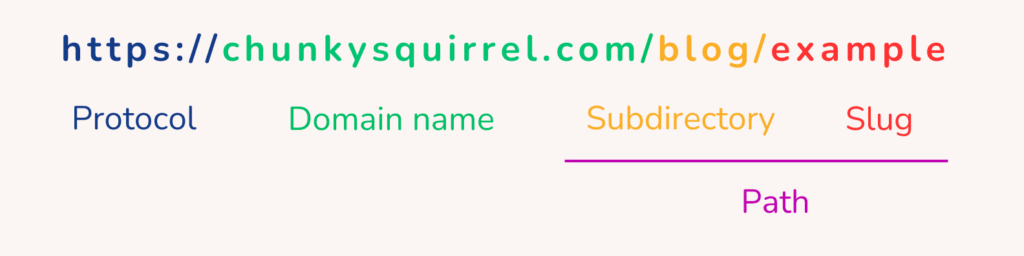
Diving further into each of these sections would take us a bit too far for this Website 101 blog post. But now you know the key difference: a domain name points to the website, while a URL points to a specific place on that website.
Web host
The web host (or your plot of land in our house example) provides the server where all of your website files are stored. If you’re using a platform such as Shopify, Squarespace, Wix or a hosted WordPress, hosting is included for you.
But if you have a self-hosted WordPress, you choose your own host! It gives you a lot more freedom. For example, if you don’t like the loading speed of your Squarespace site, you’re out of luck. If you choose your own host, you can upgrade.
Our favourite website host is MDD Hosting (read here why!), but there are of course other great ones out there. If you prefer a Canadian company, check out FullHost.
CMS and/or Website builder
Let’s go back to our house analogy for a second.
A CMS (Content Management System) is like the warehouse manager of your website. It keeps track of everything behind the scenes: your text, blog posts, images, products, pages, and other content. It does not worry about how things look. Its job is to organize and deliver the right content when it is needed.
A website builder, on the other hand, is like your contractor. It helps build and decorate your house. It takes the materials from the warehouse manager and lays everything out beautifully: arranging rooms (pages), adding windows (images), placing furniture (text blocks), and painting the walls (styling).
Some platforms, like Squarespace or Wix, combine both roles into one system. They manage your content and give you tools to design the site. Others, like WordPress with Elementor, keep them more separate but give you more control and flexibility.
You might not need both in every case, but knowing who does what can help you make better decisions about how your website is built and maintained!
How to know where to build your website
There is no perfect platform for every business. The right choice depends on what your website needs to do, how much control you want, and how comfortable you are maintaining it.
I always recommend looking at the bigger picture! Once you buy into a system, it’s costly and much more difficult to change, so choosing the right one from the start is key.
Factors to consider: ease of use, SEO, specific features and shopping options.
Questions to consider
- How easy is it for you to update?
- Do you need strong SEO features?
- Are you selling products?
- Do you want to scale in the future?
- Can you move your content if you leave?
Common Options
- Completely custom: For complex, high-budget builds.
- WordPress (self-hosted): Highly flexible and great for SEO.
- Shopify: Often best for ecommerce-focused businesses, especially with extensive inventory management.
- Squarespace or Wix: Easy to use, great for simple service-based sites.
Did we miss a website 101 question? Or do you want to know something beyond what we’ve discussed? Send us a message!